From the first assignment
to a record you can review.
A connected workflow for field technicians and the office—with evidence delivered to the storage your company controls.
Configure company storage
Choose R2, Spaces, or a compatible S3 destination. Confirm permissions, HTTPS, and the upload path before a company rollout.
Create or receive a Work Order
Create work in the portal with instructions, a reference picture, and the customer’s contact details and address. Assign it to a company phone; a push notification alerts the technician. The app also supports the individual Work Order workflow.
Capture evidence
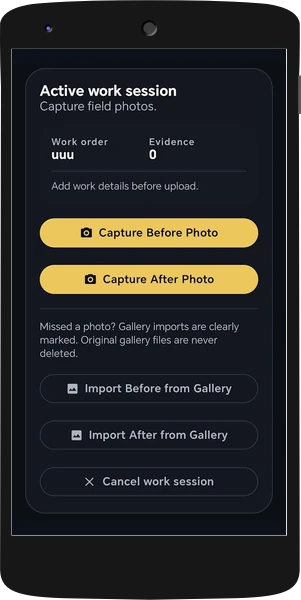
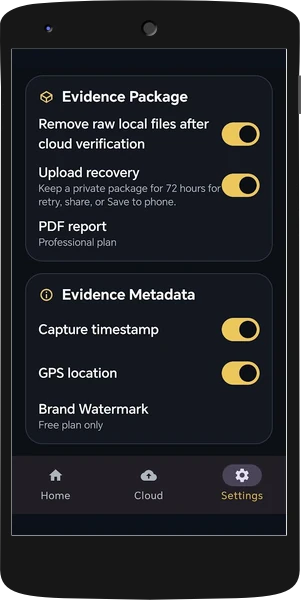
Capture photos and video with either the front or rear camera. Take before photos, close the app completely, then reopen the same session to capture after photos once the work is done. Photos can be stamped with the date, time, GPS coordinates, and geocoded address. If geocoding fails or returns the wrong address, correct it manually during capture. Stamping follows settings and company policy.
Add the work description
Include the work performed and complete the evidence required by the company’s policy. Persistent sessions support continued capture after closing the app or restarting the phone.
Package and fingerprint
Create the evidence package with file fingerprints and signed package records. The Work Order PDF includes a short work summary, photo thumbnails, capture times and locations, plus clickable coordinate links that open Google Maps.
Upload directly
Send the package to the selected customer-controlled storage. If connectivity is interrupted, uploading continues when the phone comes back online. If an upload fails, the package can be shared as a ZIP through Android’s native share menu.
Verify package integrity
Open the package in the browser verifier. Review signature checks, file matches, missing files, and unsigned extras separately.
Review and manage
Use role-based portal access to browse Work Order folders and download ZIPs. Enable per-upload email notifications and daily or weekly KPI emails with Work Order upload counts for each phone.
Continue the job. Check the upload.
Persistent Work Order sessions preserve the active workflow across app closure or a phone restart. Take before photos and close the app completely; reopen it later to capture the after photos in the same session. Uploading resumes when connectivity returns, and a failed upload can be shared as a ZIP through Android.
Confirm that the destination contains the required package before treating the record as delivered. Recovery behavior follows the app version, settings, and company policy.
Bring the field and office together.
Tell us about your team, your Work Orders, and where your evidence needs to live.