Security

Clear boundaries. Verifiable behavior.

Field Bundle is proof-of-work evidence software. It is built for work documentation — with strict limits on where data goes and when location is used.

Direct upload to your cloud

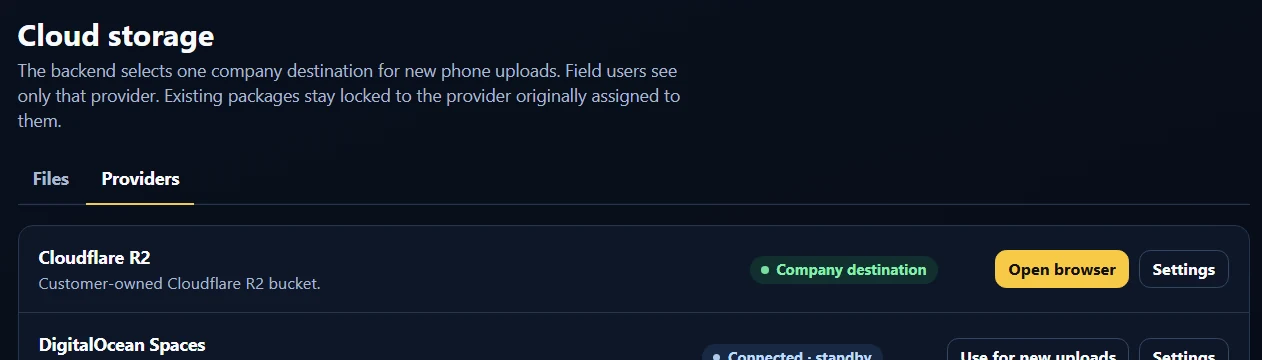
Evidence packages go to Google Drive, Dropbox, or Microsoft OneDrive. The company keeps control of where records are stored.

Cloud privacy boundary

Field Bundle uploads the package it creates. It does not inspect, scan, or analyze other cloud documents.

No background GPS monitoring

Location is used only while evidence is being created, when enabled or required by company policy. There is no background tracking.

Company-controlled evidence rules

Policy decides what every package must include.

Administrators define evidence package rules once in the Field Bundle Console. Activated company devices receive the rules when access refreshes — the rules apply only while creating and uploading an evidence package.

  • Timestamp stamping
  • GPS location stamping
  • Work Order ID required
  • Work description required
  • PDF report
  • Raw local file cleanup
  • Recovery package
  • Gallery import
  • Original quality
  • Package sharing
Field Bundle Console evidence package rules with required fields, package controls, and mobile app settings

Field Bundle Console: evidence package rules for activated devices

Fallback package sharing

Recovery without detours through us.

If direct cloud upload is interrupted, Field Bundle can keep a private recovery package that can be retried, saved, or shared through Android’s native share menu, including email or supported messaging apps. Evidence is not sent to Field Bundle’s backend as part of this fallback.

Upload notifications

Status for the office, not evidence delivery.

For company deployments, optional upload notifications can alert configured recipients when an evidence package upload is verified. Notifications are intended for workflow status — Work Order reference, upload time, destination cloud, and package status. The selected cloud destination remains the evidence storage location.

Device storage

Local files and storage behavior.

Evidence stays organized and under control on the phone as well as in the cloud.

  • Evidence files are kept inside the app workflow instead of filling the phone’s personal photo gallery.
  • After a verified cloud upload, raw local files can be removed from the device.
  • If an upload fails, a private recovery package can support retry, share, or save workflows until the evidence is delivered.
Summary

What Field Bundle never does.

  • No background GPS monitoring or location history
  • No inspection of other documents in the connected cloud account
  • No backend photo storage in the direct-cloud model — evidence goes to the customer-selected cloud
  • No evidence scattered into the user’s personal photo gallery
  • No automatic sharing of evidence files unless the user or company explicitly enables a workflow

Questions about a company rollout?

We are happy to walk through boundaries, policy controls, and cloud setup.