Date and time on the photo.
Stamp captured photos with the date and time. Include GPS coordinates and a geocoded address according to your capture settings and company policy.
Connect Android capture, office coordination, package verification, and customer-controlled storage in one Work Order workflow.
Date, time, coordinates, and an address give a photo the context a reviewer needs.
Stamp captured photos with the date and time. Include GPS coordinates and a geocoded address according to your capture settings and company policy.
Geocoding turns the capture location into an address. If the lookup fails or shows the wrong address, edit the address manually while taking the picture.
Capture still photos or record video using either the front or rear camera. Choose the format that best documents the work.
Capture, package, and verify field evidence.
02 / OperationsWork Orders, issues, reminders, and assets.
03 / StorageEvidence goes to storage you control.
04 / AdministrationPeople, devices, policy, and reporting.
Create a Work Order. Assign a phone.
Document the work with photos and video.
Fingerprint files. Check package integrity.
Send evidence to customer-controlled storage.
Keep the office connected through the portal.
Dispatch from the portal. Assign a mobile device. Track status as work moves through the field, then handle exceptions without losing sight of responsibility.
Work Orders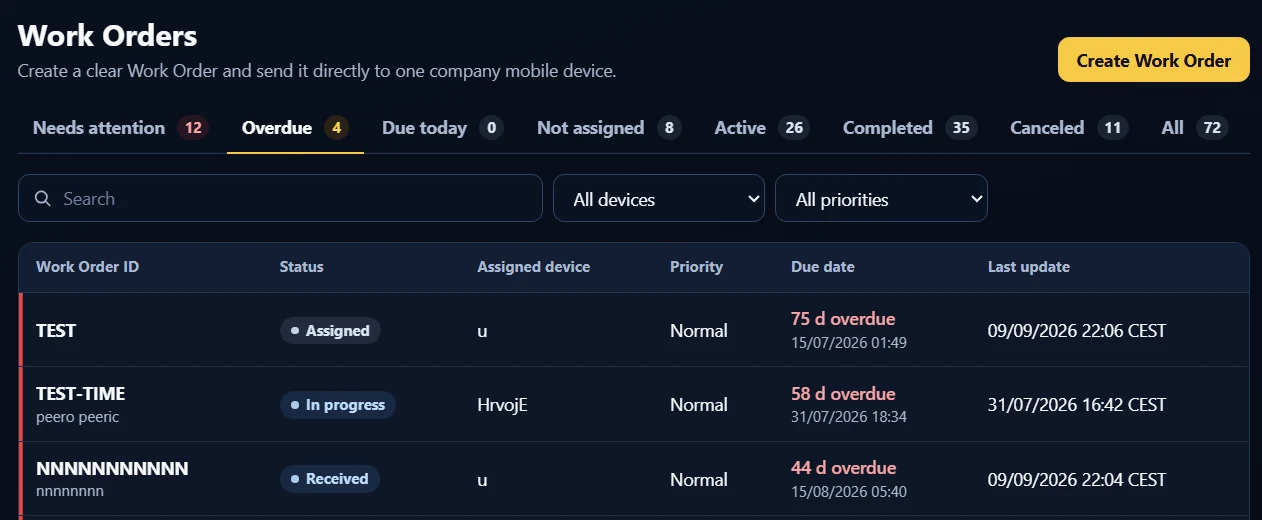
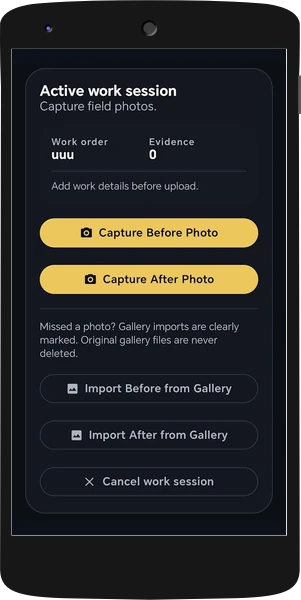
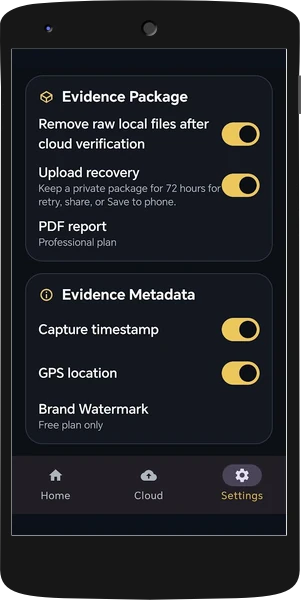
Before-and-after evidence, video, a work description, timestamps, and GPS stamping help explain the job. PDF reports and signed package records make that work easier to review.
Evidence & verificationIssues, reminders, assets, custody, and reports support the same field workflow.
Field operationsUse R2, Spaces, or a compatible hosted or self-hosted S3 destination.
Customer-owned storageManage users, roles, devices, company policy, and branding centrally.
Company managementTake the before photos, completely close the app, and return after the work. Reopen the same persistent Work Order session, capture the after photos, add your notes, and upload the complete package.
If the connection drops, uploading resumes when the phone comes back online. Interrupted connectivity does not mean starting the evidence workflow again.
Photos stay within the Field Bundle workflow, not in the technician’s personal gallery. If an upload fails, share the evidence package as a ZIP through Android’s native share menu.
Alert the assigned phone when work is dispatched. Include instructions, reference images, and customer contact details.
Select email notifications for Work Order uploads and daily or weekly reports of uploads per phone.
Plan maintenance months ahead with advance email alerts. Request a tool holder’s location by push notification when a handover is needed.
Tell us about your team, your Work Orders, and where your evidence needs to live.